Every Kindle 2015–2026 · No black bars
Custom Kindle lock screenYour photo. No jailbreak.
To set a custom Kindle lock screen without jailbreaking, turn on Show Covers on Lock Screen and open an e-book with your picture as its cover. This tool creates that custom EPUB sized to your exact Kindle model with no black bars.
- Pixel-perfect fit with no black bars
- True e-ink preview
- Photos never leave your device
- Kindle Paperwhite (2024 / 2026, 7") · Signature
- 1264 × 1680
- 16 grays
- .epub
Drag the photo to reposition · live preview matches your screen
Sample: The Great Wave, Hokusai (public domain)
Don't see your model? Take a screenshot on your reader to find its pixel size (on Kindle, tap opposite corners simultaneously), then choose Custom.
Launch offer: Kindle files are free for a limited time. No sign-up.
Why do Kindle files cost $2.99 later?
Kobo, Boox and Xteink take a plain image, so those stay free forever. Kindle can't: it only shows a book cover on the lock screen. We build a real e-book around your picture, sized so Amazon's Send to Kindle conversion keeps it edge to edge, and keep testing it across Kindle generations as Amazon updates its software. The small fee pays for that upkeep.
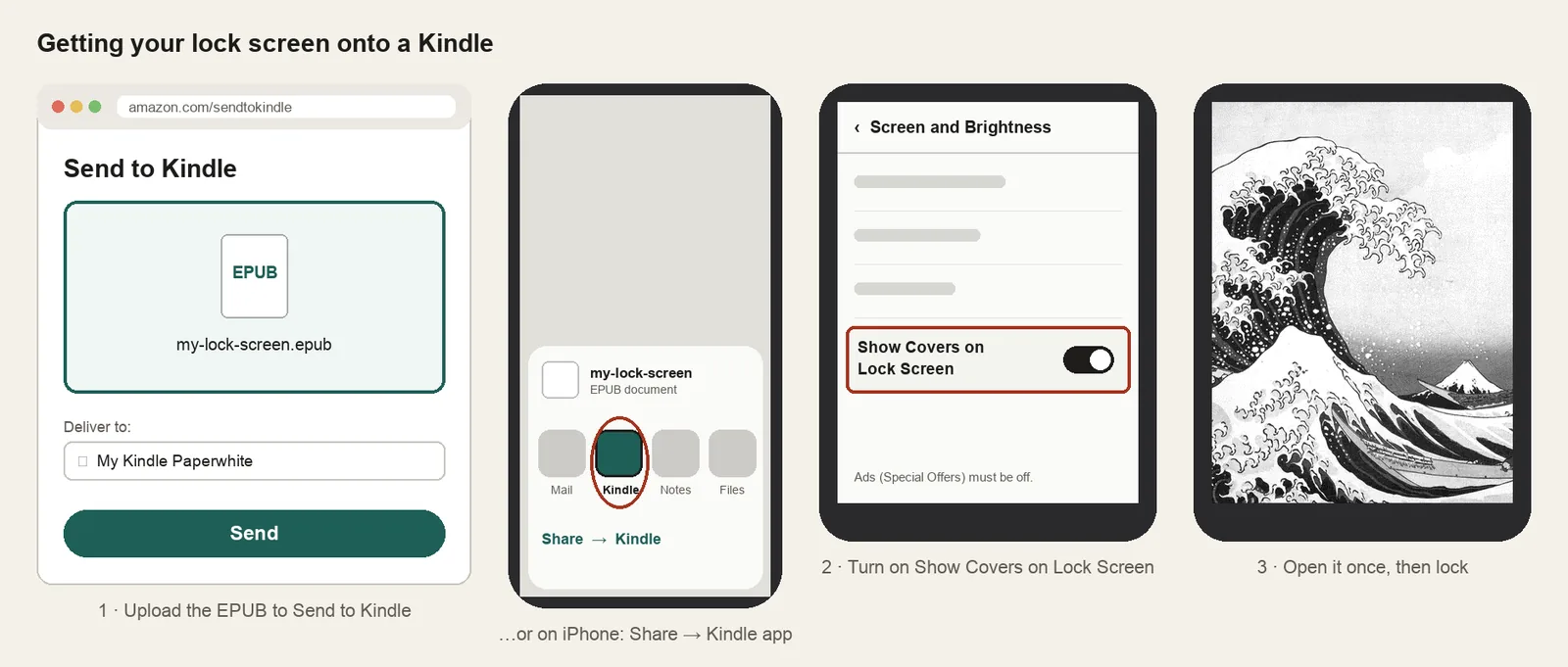
- Send the .epub with Amazon's Send to Kindle.
- Turn on Settings → Screen and Brightness → Show Covers on Lock Screen (ads must be off).
- Open the book once, then lock your Kindle.
Something not working, or an idea? Tell us. We read everything.
How it works
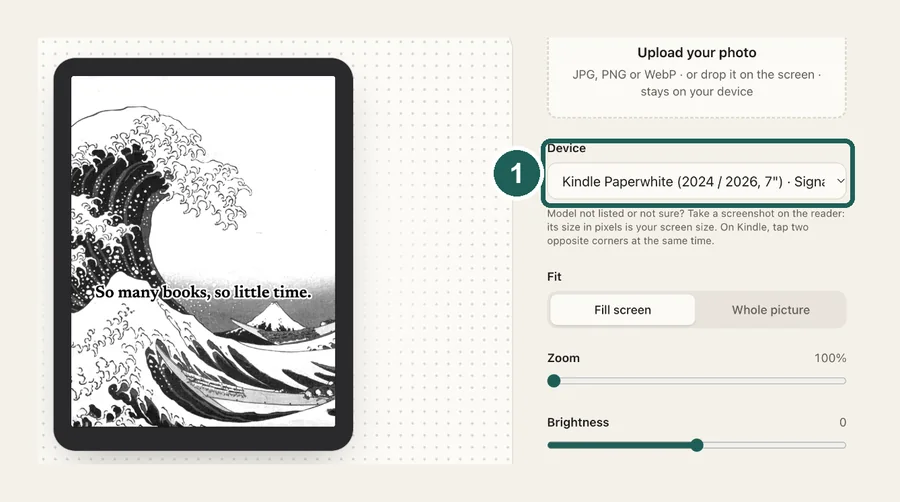 1
1Pick your Kindle
Every Kindle from 2015 to the 2026 lineup, including Paperwhite, Colorsoft, Oasis, Voyage and Scribe. The cover is made at your screen's exact resolution, which is what stops black bars.
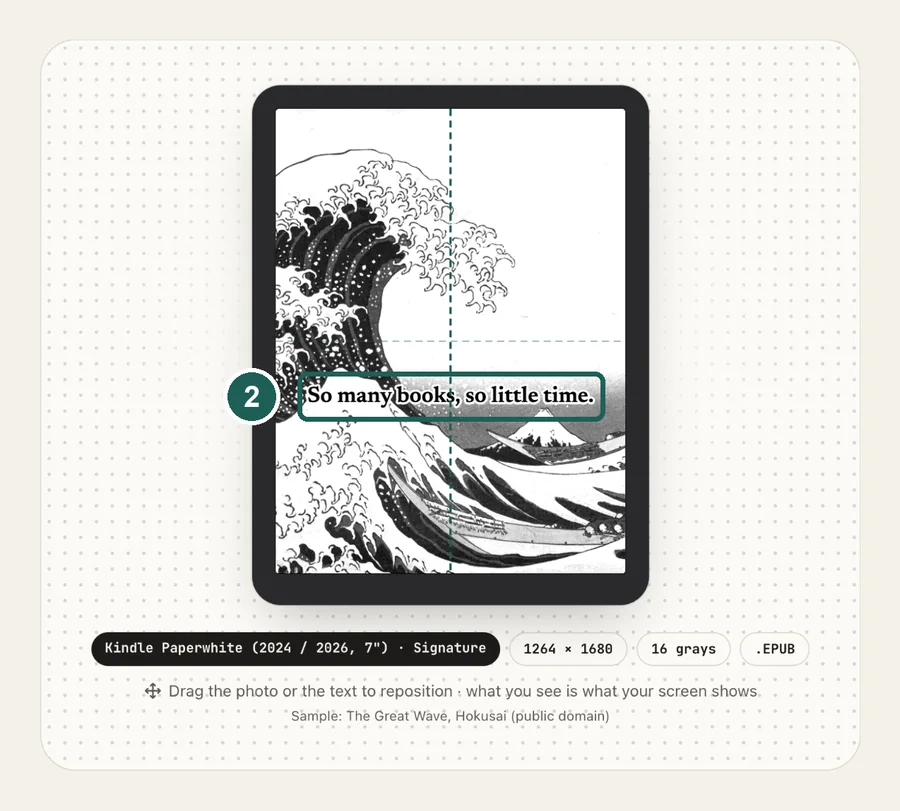 2
2Frame your photo
Drag to reposition, adjust brightness and contrast for e-ink, and add a caption if you like. Colorsoft keeps the colors.
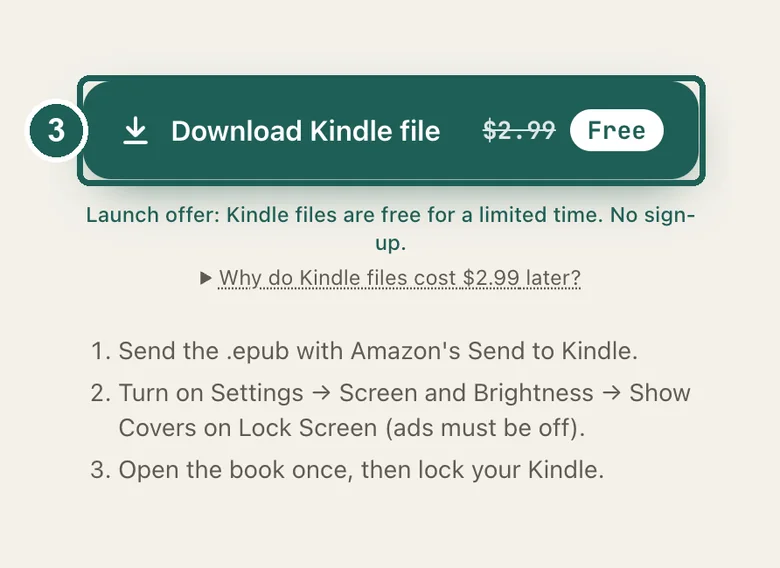 3
3Send it to your Kindle
Upload the .epub with Send to Kindle, turn on Show Covers on Lock Screen, open the book once, then lock your Kindle.
Getting it onto your Kindle
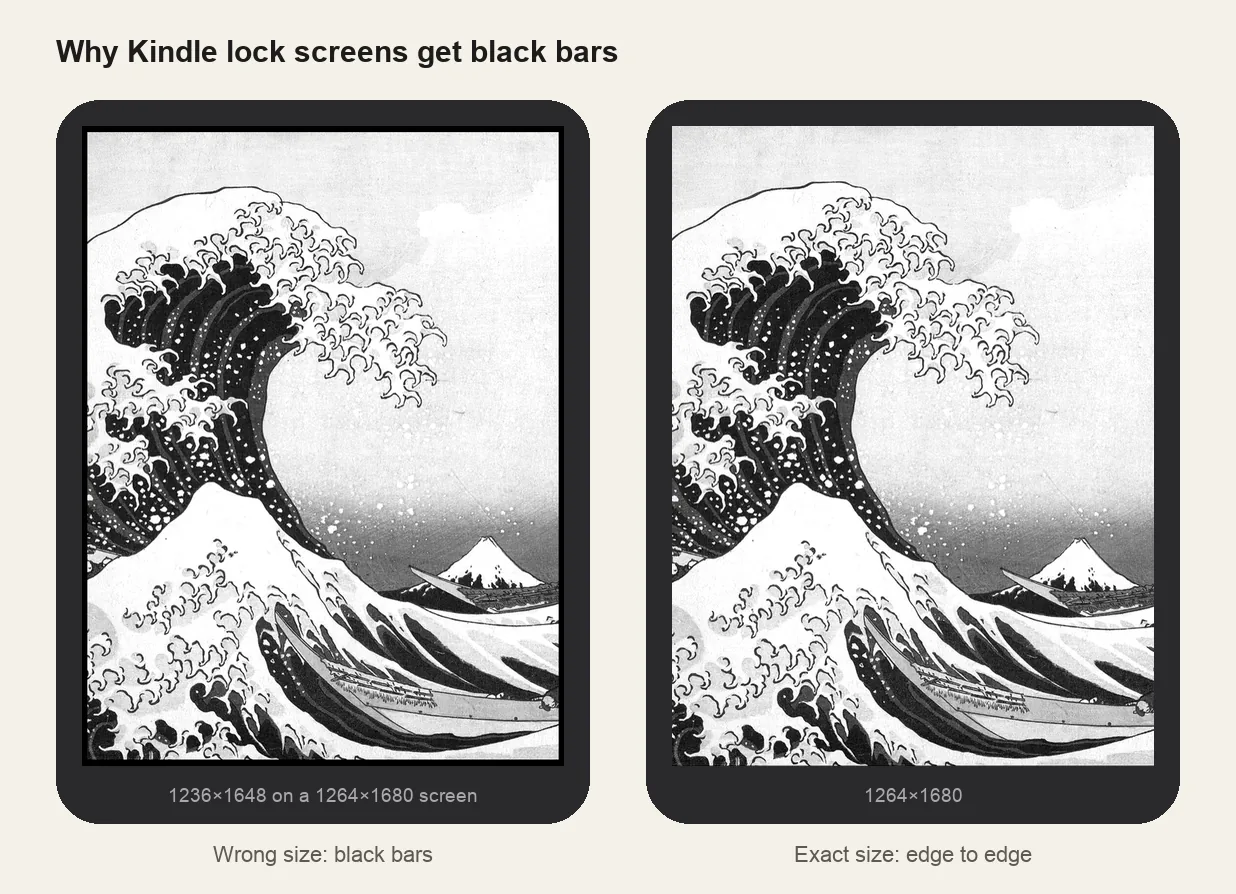
Why black bars happen
Kindle screen sizes
| Model | Resolution |
|---|---|
| Kindle Paperwhite (2024 / 2026, 7") · Colorsoft · Oasis (2017 / 2019) | 1264×1680 |
| Kindle Paperwhite (2021, 6.8") | 1236×1648 |
| Kindle (2022 / 2024 / 2026) · Paperwhite (2015 / 2018) · Voyage · Oasis (2016) | 1072×1448 |
| Kindle Scribe (2025 / 2026, 11") · Scribe Colorsoft | 1980×2640* |
| Kindle Scribe (2022 / 2024, 10.2") | 1860×2480 |
| Kindle (2016 / 2019, 167 ppi) | 600×800 |
| Kindle Paperwhite (2012 / 2013), jailbroken only | 758×1024 |
| Kindle 4 / 5 / Touch / Keyboard, jailbroken only | 600×800 |
* Amazon lists the 2026 models and the 11" Scribe only by size and 300 ppi. If yours looks slightly off, take a screenshot on the Kindle (tap two opposite corners at once), check its pixel size, and use Custom size.
Every step, including the settings to change, is in the Kindle lock screen guide.
Common questions
›Can I put my own picture on a Kindle lock screen without jailbreaking?
Yes. With ads (Special Offers) turned off, Kindle can show the cover of the book you last opened. Make a book whose cover is your picture, open it, and that picture becomes your lock screen.
›Why do I see black bars around my picture?
The cover's shape doesn't match the screen. Most converters keep your photo's shape, and Kindle fills the gap with black. This tool crops or pads to your model's exact resolution first.
›My Kindle still shows ads. What do I do?
The lock screen cover option is hidden until ads (Special Offers) are removed. You can unsubscribe in your Amazon account under Manage Your Content and Devices for a one-time fee. See our guide to removing Kindle lock screen ads.
›The lock screen went back to a book cover. Why?
Kindle always shows the last book you opened. Open your lock screen book again from the Library, then lock the device.
›Does it work on Kindle Colorsoft?
Yes. Pick Kindle Colorsoft and your picture keeps its colors. For other models it is converted to grayscale tuned for e-ink.
›Does it work on old Kindles?
Kindles from 2015 on (Paperwhite 3 and later, Voyage, Oasis, and the basic Kindle from 2016) have the Show Covers setting, so they work without a jailbreak. Older models (Paperwhite 1 and 2, Kindle 4, 5, Touch, Keyboard) can only show custom screensavers if jailbroken; pick them in the list to get a PNG for the screensaver hack.
›My Kindle isn't in the list. How do I find its size?
Take a screenshot on the Kindle by tapping two opposite corners of the screen at the same time. Copy it to a computer and check its size in pixels; that is your screen resolution. Choose Custom size and enter it.
›How much does it cost?
Kindle files will be $2.99 each once checkout opens. During launch they're free.
›Why is Kindle paid when Kobo and Boox are free?
Kobo, Boox and Xteink accept a plain image as the sleep screen, so those files are free forever. Kindle doesn't: it can only show a book cover. We build a real one-page e-book around your picture, sized so Amazon's Send to Kindle conversion keeps it edge to edge, and keep it working as Amazon updates Kindle software across many generations. The fee covers that upkeep.